Everything a growing church needs, in one connected system.
ChurchManager spans a person's whole journey — from first-time visitor to giving, serving member — across 14 connected areas. Update one thing anywhere and the whole system stays in sync.
Sign in, profiles, roles, and permissions
Everything to get people into the system and control what each of them can see and do.
- Sign in, sign up & password recoveryEmail/password login, self-service sign-up, and forgot/reset password flows.
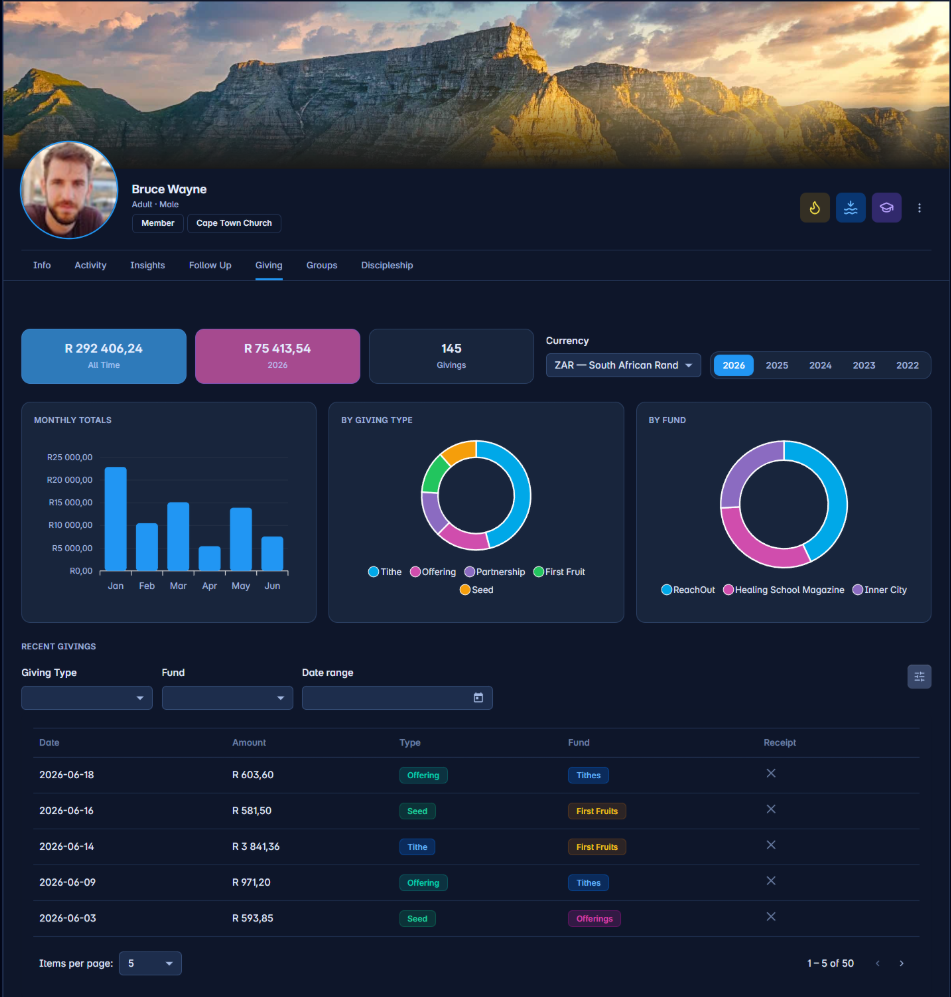
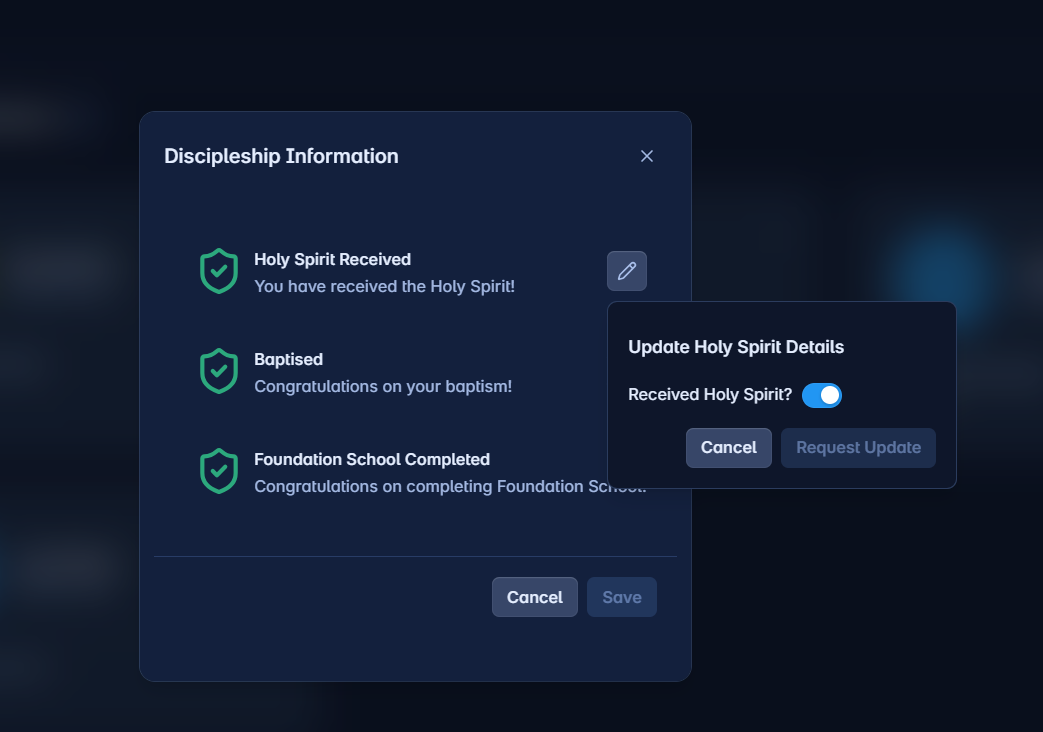
- My ProfileEach user manages their own About, Activity, Insights, Follow Up, Giving, Groups, and Discipleship tabs.
- Security managementRoles, reusable role templates, and granular feature-level permissions per role.
- User loginsReview login activity, sessions, and history across the platform.
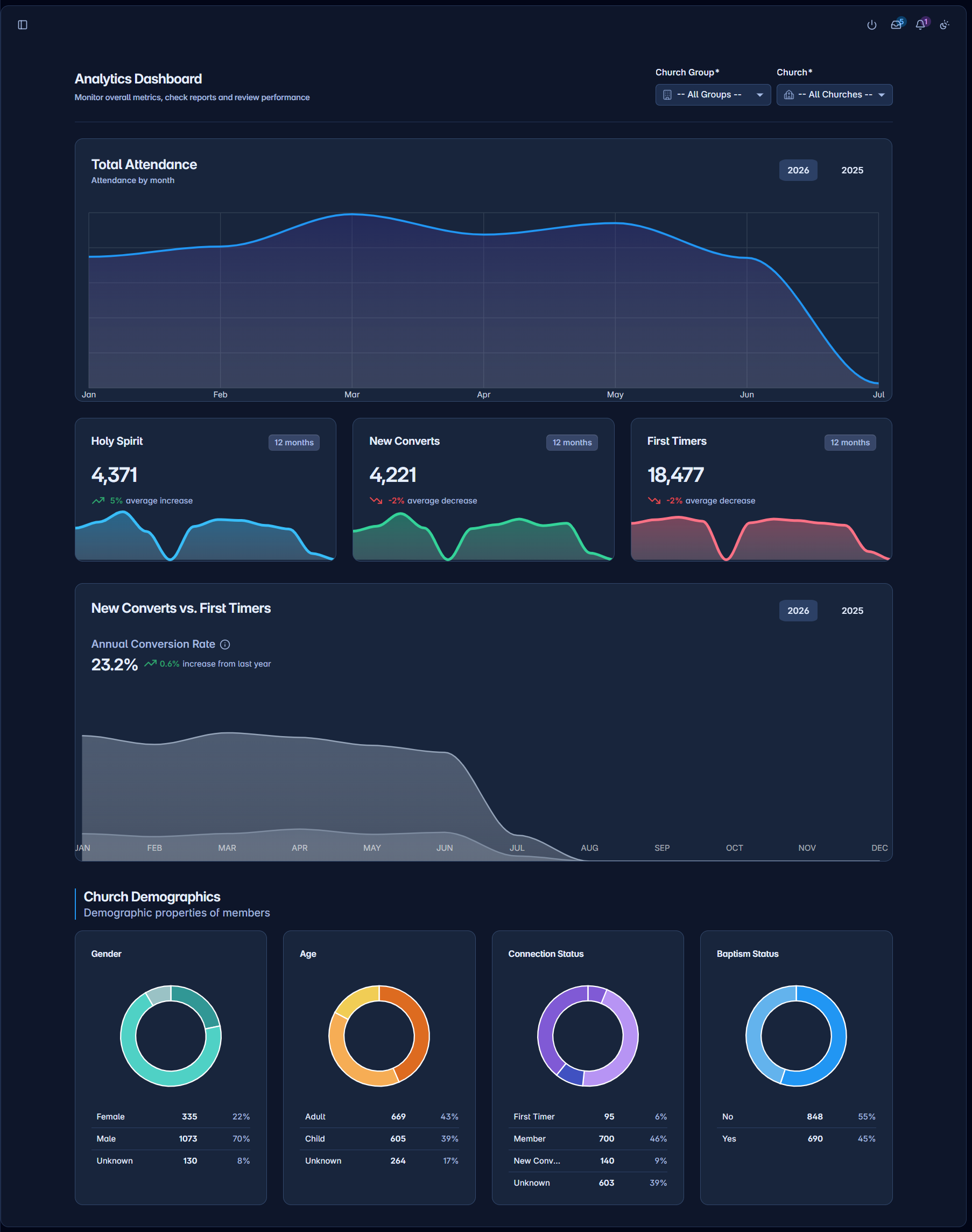
The whole church at a glance
A live organisational overview — not a report you have to run.
- Attendance trendsCompare attendance over rolling time periods and against previous periods.
- Visitor & first-timer flowTrack first-time visitors and conversions as they move through the pipeline.
- DemographicsGender, age classification, and connection-status breakdowns.
- Baptism progressSee where members sit in the baptism pipeline.
- Scope by branchFilter every card by church group and church location.
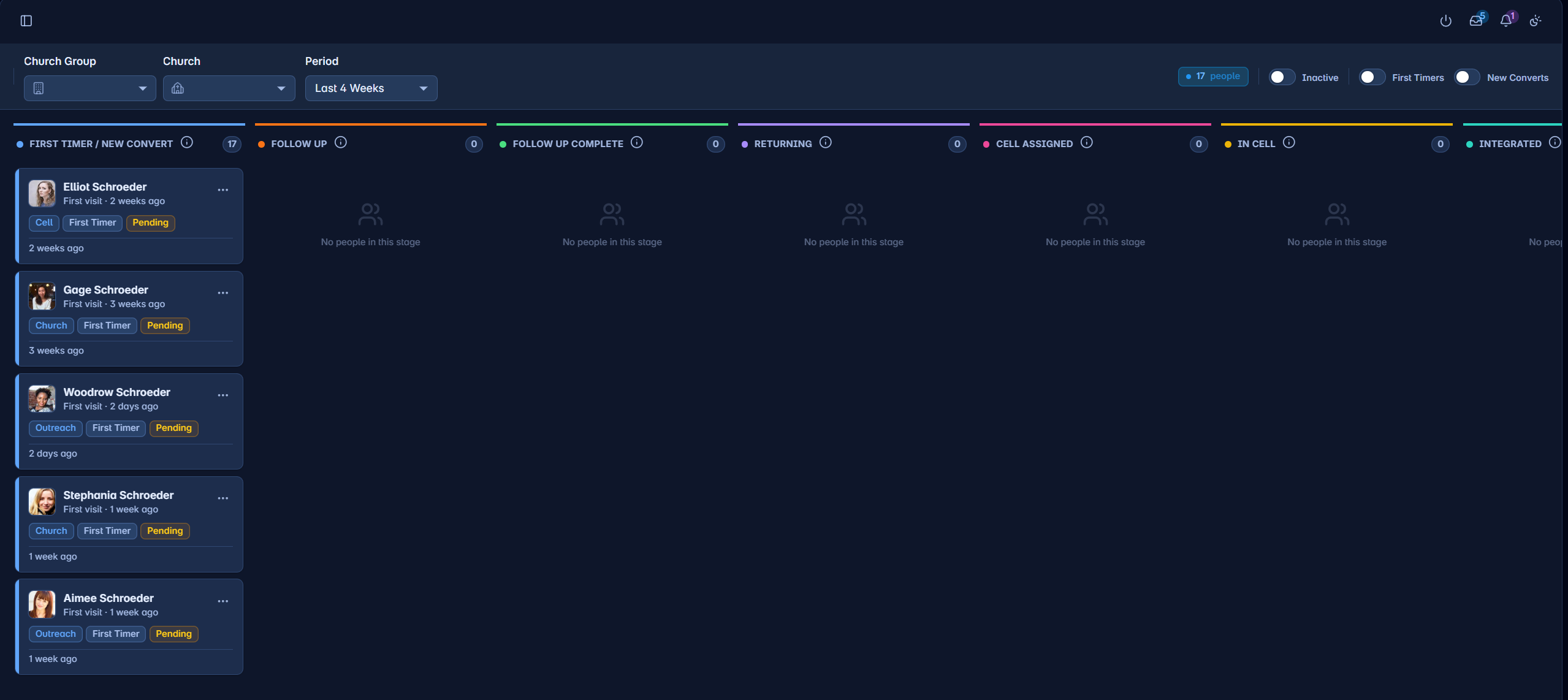
One trustworthy record for every person
The directory and full lifecycle of everyone your church knows — from first visit to serving member.
- Directory with search & filtersQuick search plus advanced filters, sorting, pagination, and multi-select bulk actions.
- Rich person profileInfo, Activity, Insights, Follow Up, Giving, Groups, and Discipleship tabs behind a single header.
- Engagement insightsEngagement gauges, participation radar charts, and cohort comparisons against church, cell, and age-group averages.
- Families & relationshipsAdd whole families at once, browse the Families directory, and see a relationship map of leaders and pastors.
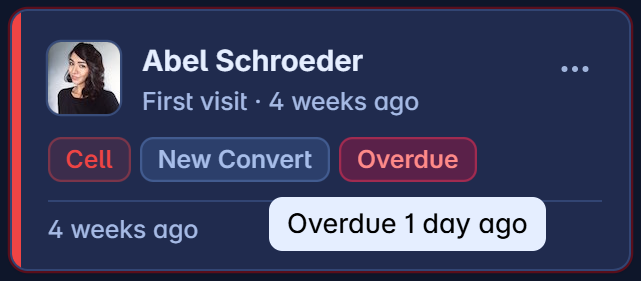
- Retainership & de-duplicationA retention board to catch drop-off, plus duplicate detection and record merging.
Cells, ministries, and departments in one tree
Define your own group types and organise people into a hierarchy that matches how your church actually runs.
- Custom group typesConfigure terms, attendance tracking, allowed children, and navigation visibility per type.
- Hierarchical group treeCreate, edit, move, and re-parent groups; filter by type and church.
- Membership managementAdd and remove members, edit roles, and open inline member detail.
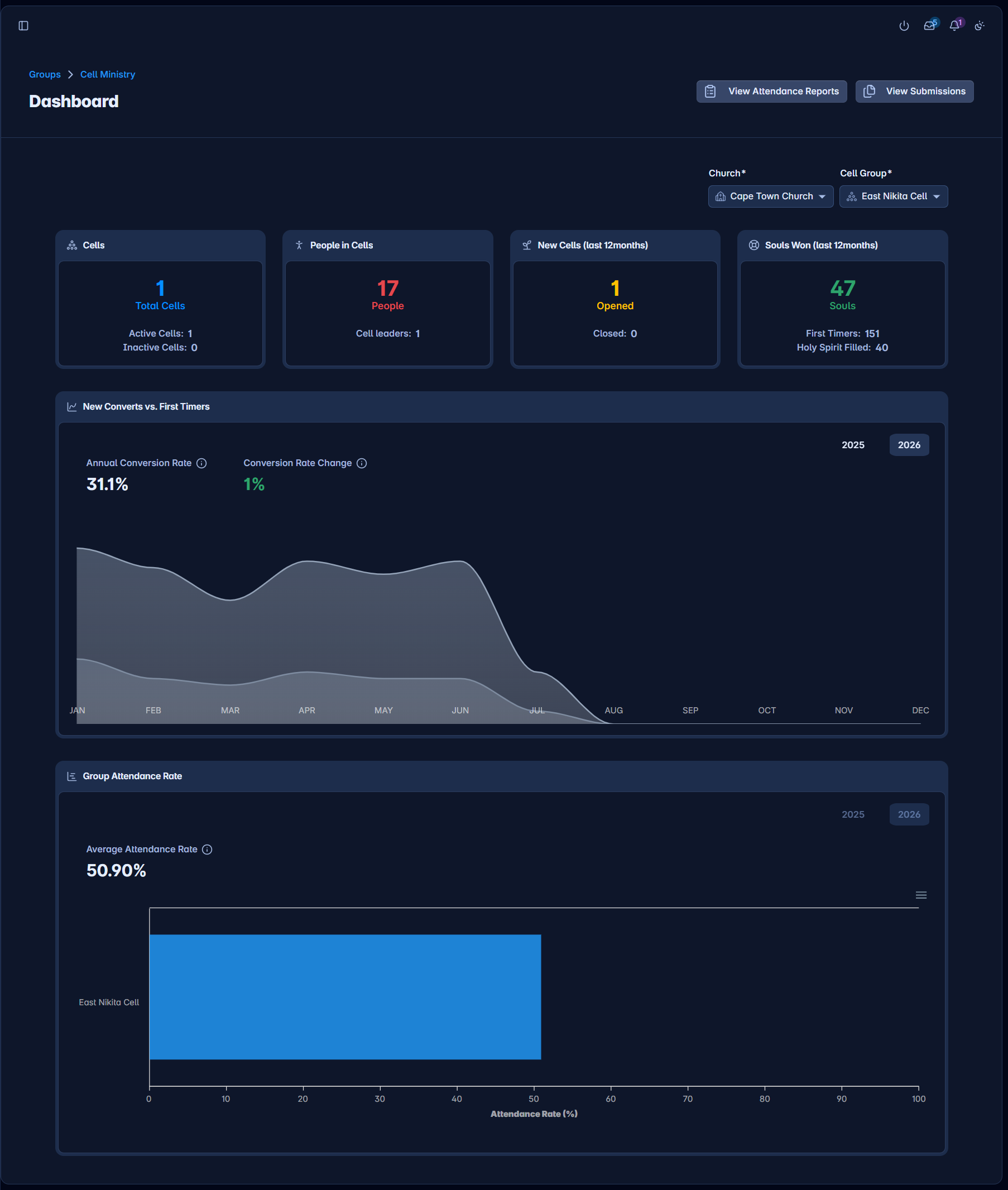
- Cell ministry toolsA cell dashboard, guided attendance submission, attendance records, feedback, and per-group performance.
- Attendance analyticsCharts of group attendance over time with church and type filters.
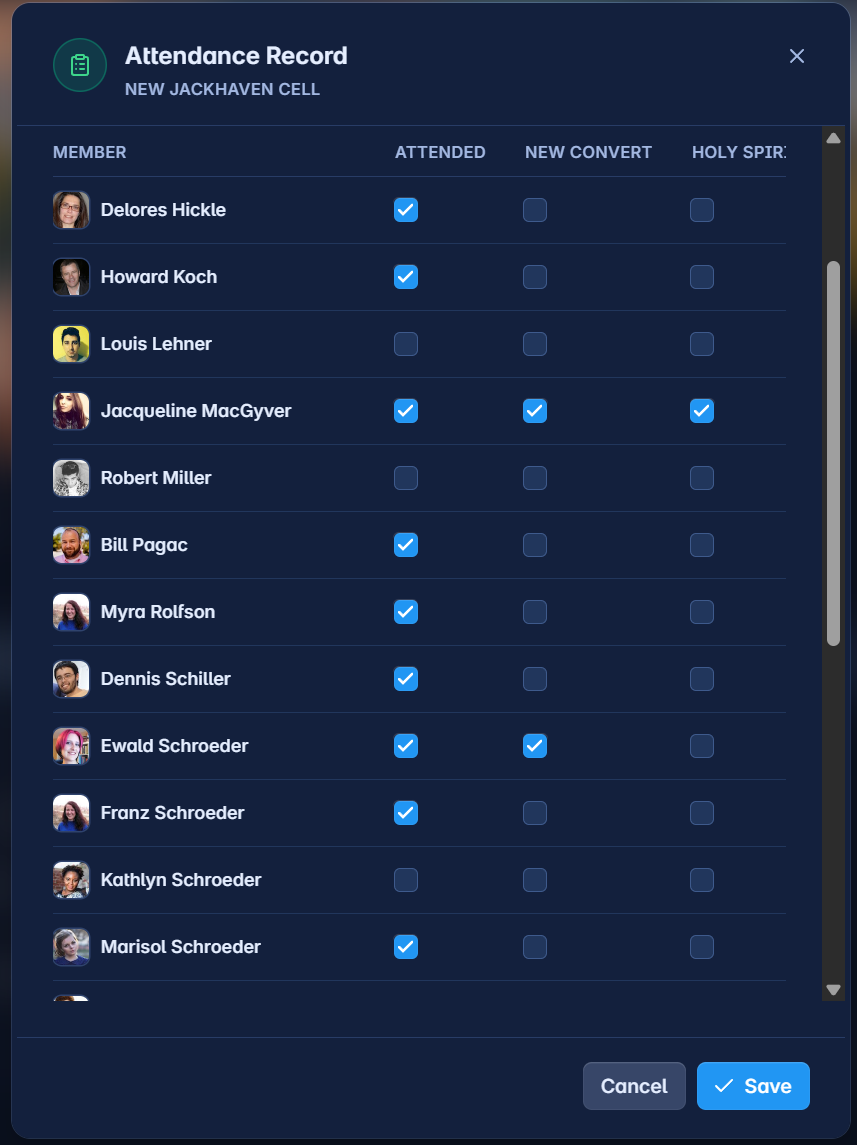
Every location, rolled up and reported
Manage each church location and the operational data tied to it — right up to a ministry-wide view.
- Manage churchesBrowse every location, edit configuration, and see the organisational grouping of churches.
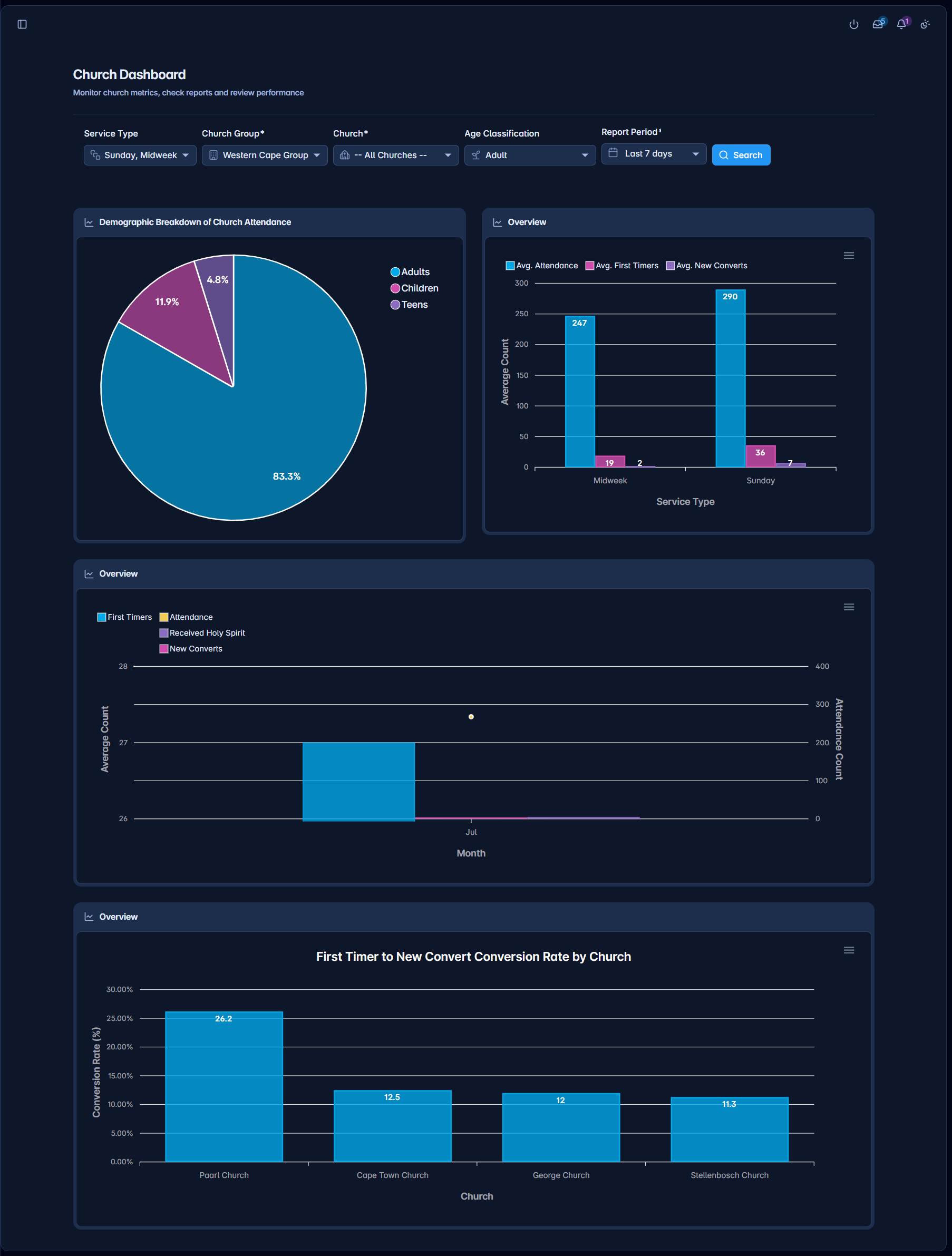
- Per-church dashboardAttendance, groups, and people metrics for a single location.
- Service attendanceSubmit attendance via a step-by-step form and browse all submissions.
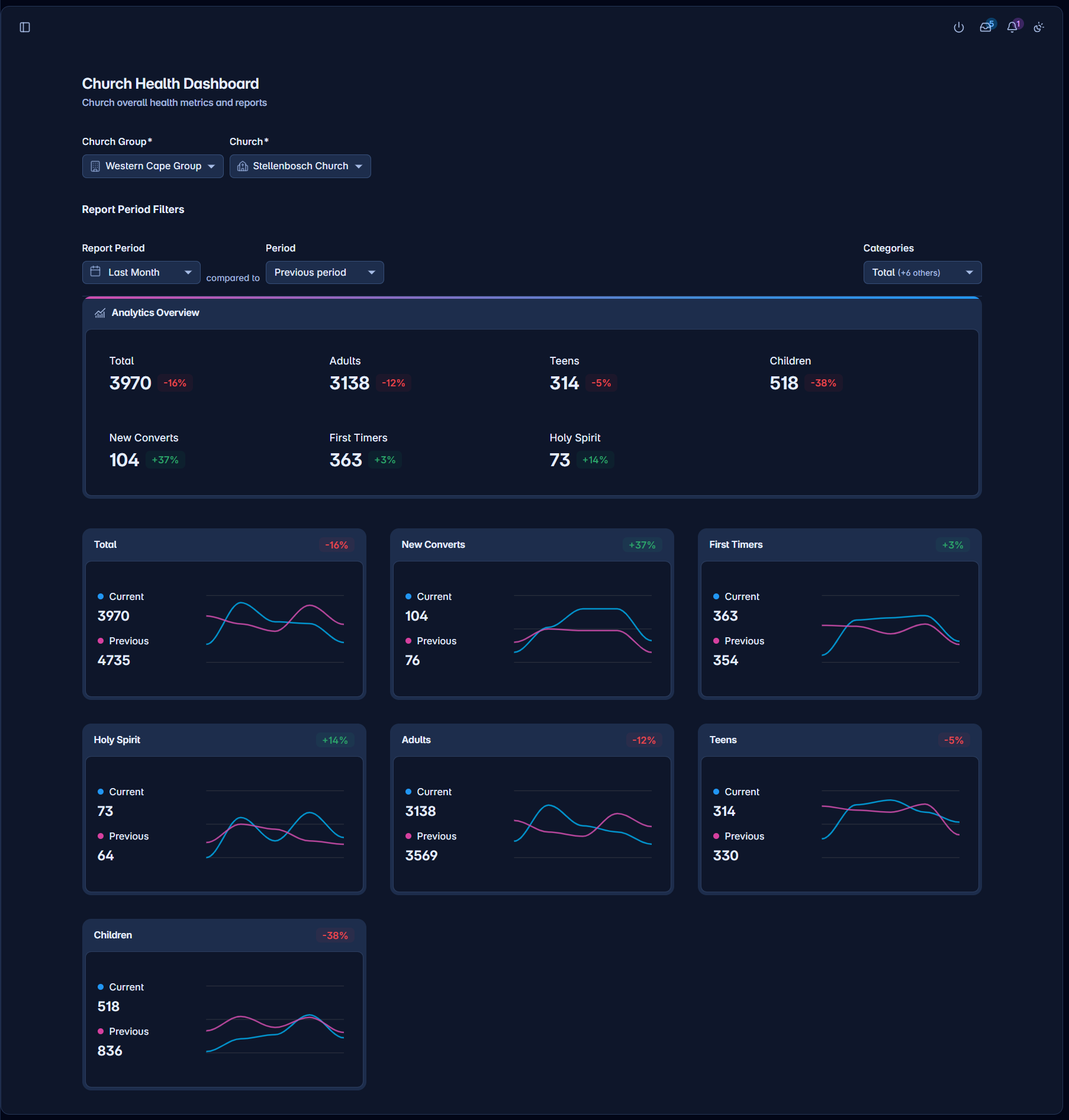
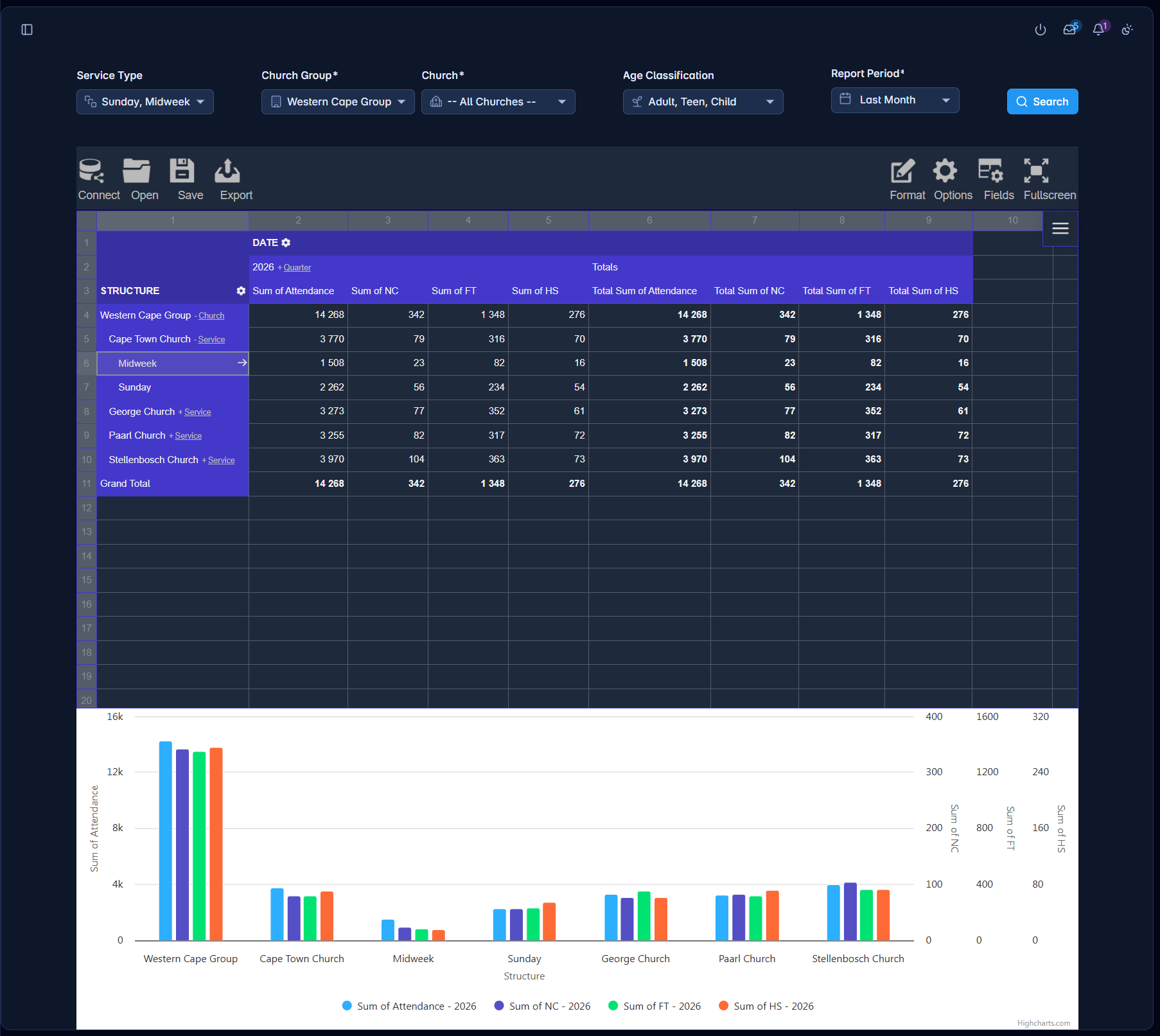
- Church Health ReportHigh-level health indicators across multiple ministries at a glance.
From event setup to full registrations
Create events with sessions, then manage who registers and what they signed up for.
- Event managementCreate and edit events with dates, location, capacity, and one or more sessions.
- Linked groupsTie a registration group and a child-care group directly to an event.
- Event typesDefine reusable categories of events used across the calendar.
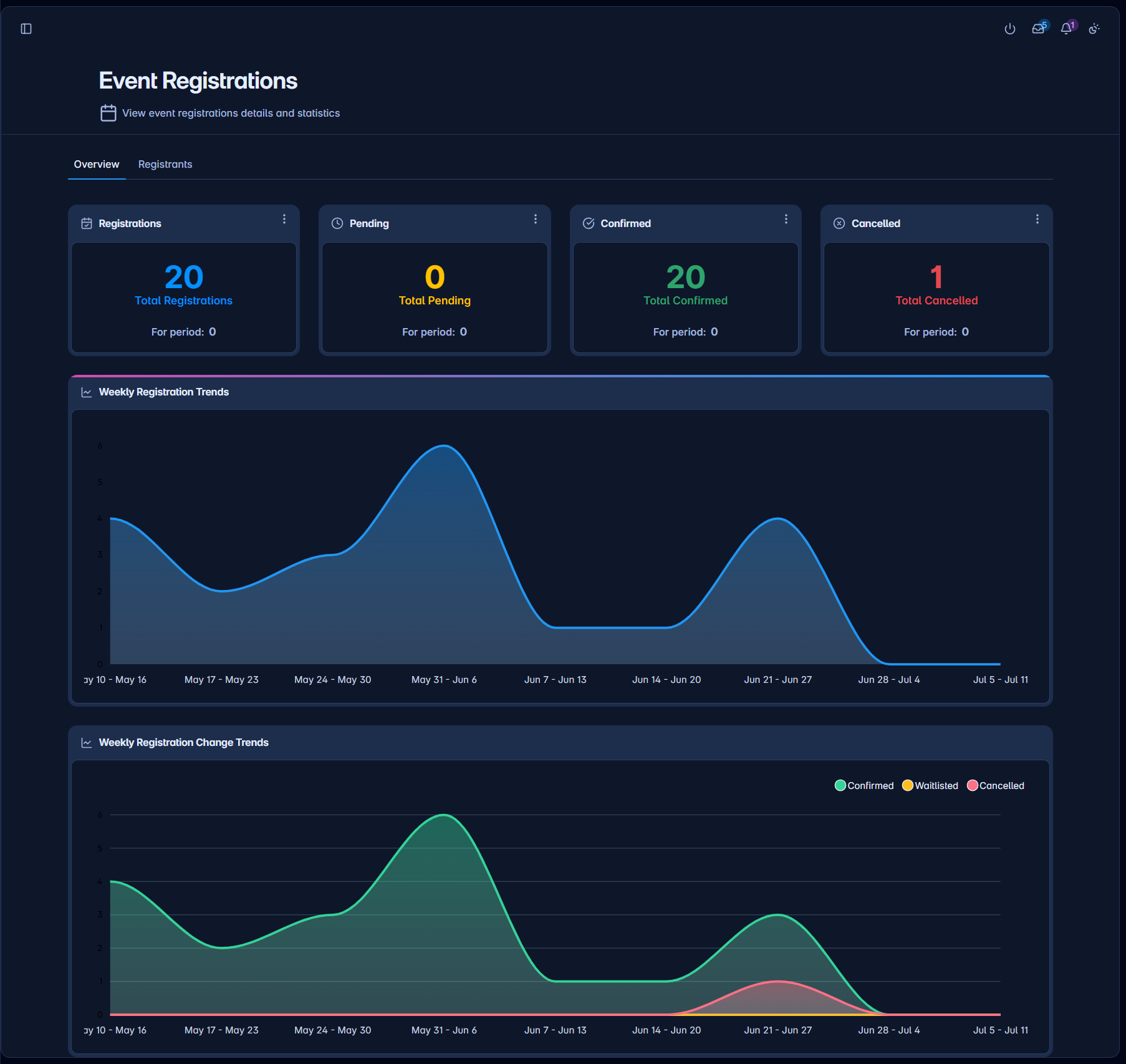
- RegistrationsList every registration, drill into attendee and family details, and review a status timeline.
Track mission trips and projects
Keep mission activity alongside the rest of your church data.
- Missions dashboardHighlights and summary information across missions activity.
- Missions listBrowse all missions recorded in the system.
Right message, right people
Reach individuals or whole groups by email or SMS from one place — with opt-outs honoured automatically.
- Rich composeWrite subject and body in a rich-text editor, apply templates, and add CC/BCC and attachments.
- Targeted recipientsPick people manually or by selecting an existing group.
- Email, SMS & schedulingChoose the channel and send immediately or schedule for later.
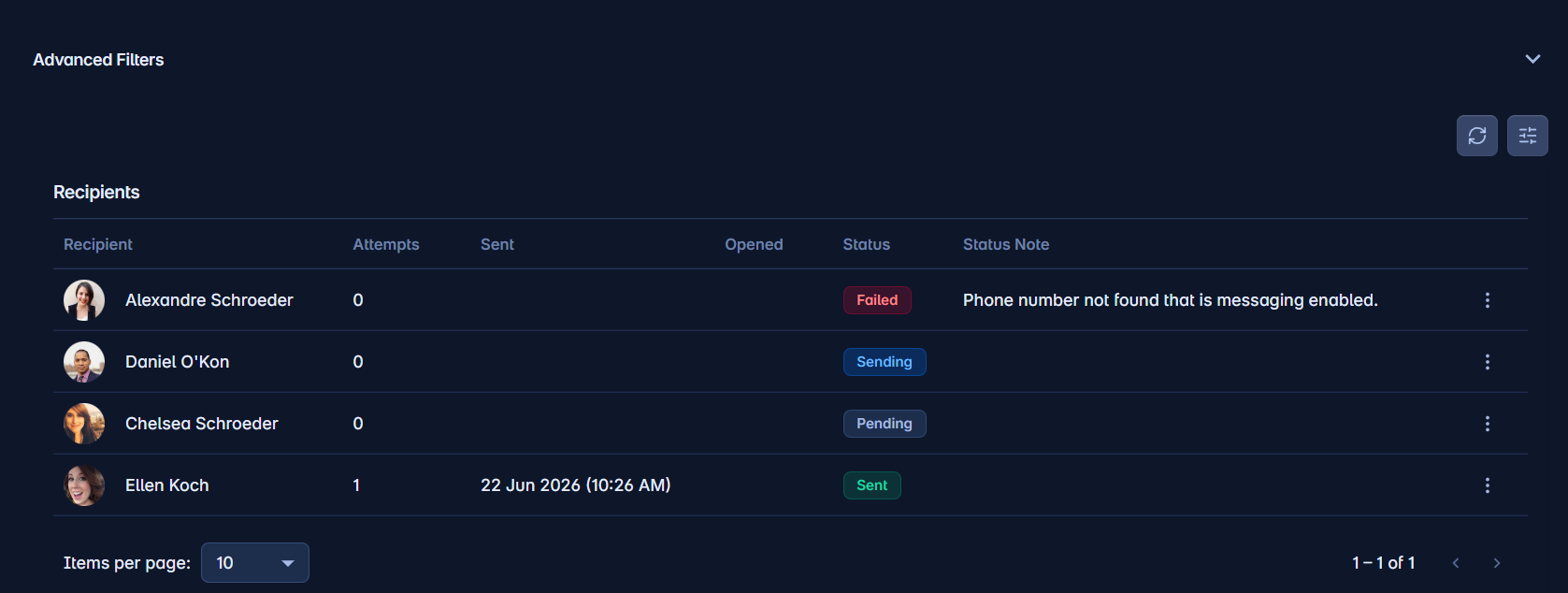
- History & bulk sendSearch and open past communications, and send to many selected people in one operation.
Approve member edits with confidence
Review user-submitted edits to person and family data before they touch your records.
- Requests queueBrowse every pending change request, filtered by status, date, or type.
- Side-by-side reviewSee the proposed change against existing data before deciding.
- Approve or rejectDecide on a request and optionally add approval notes.
See the journey — and who is stuck
Build multi-step discipleship programmes and track every participant through them.
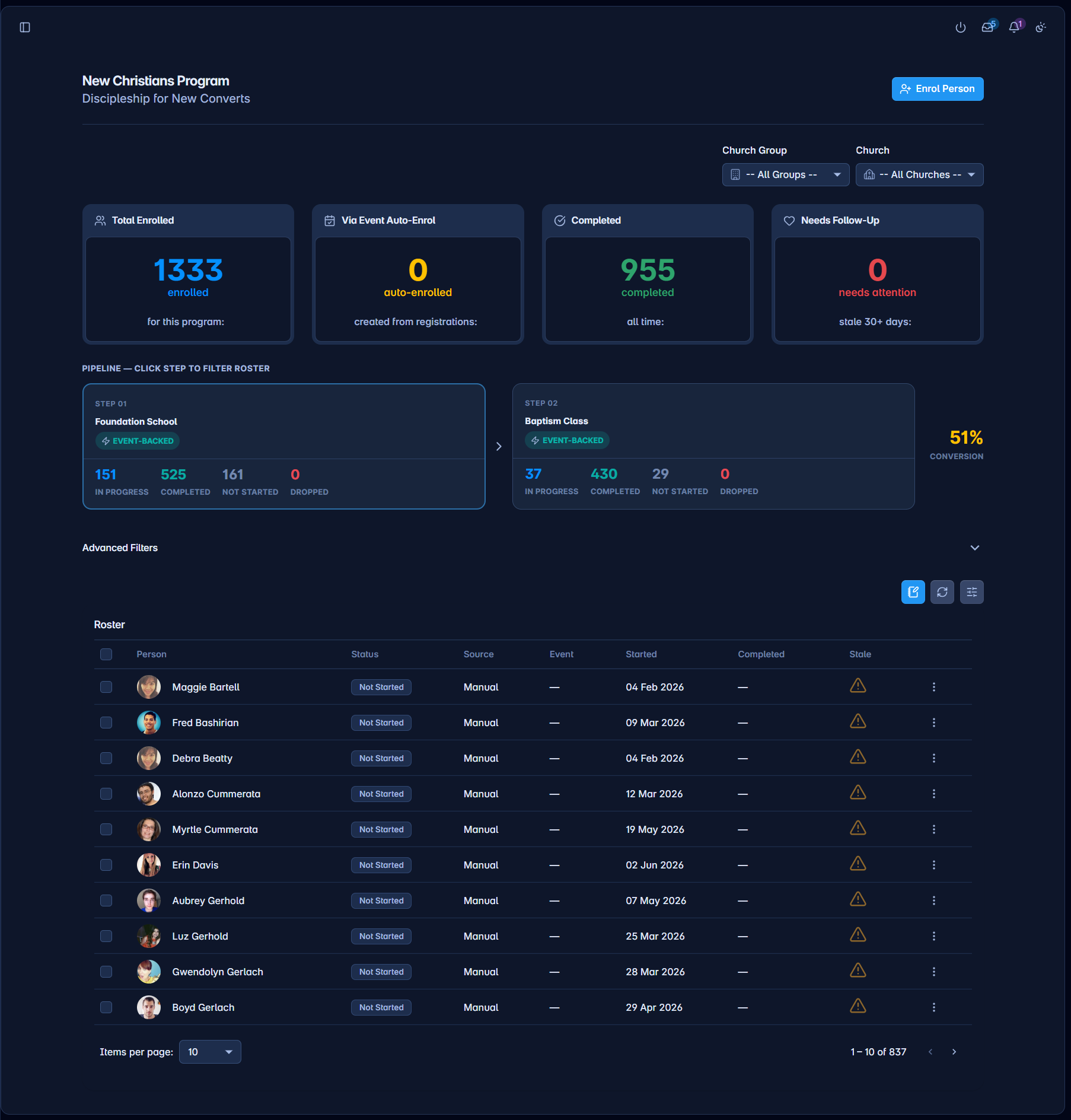
- Discipleship dashboardEnrolment numbers, completion rates, and participant progress at a glance.
- Manage programsCreate programs, define steps with prerequisites, and reorder them by drag-and-drop.
- Step participantsSee who sits at each step and move people forward or back as they progress.
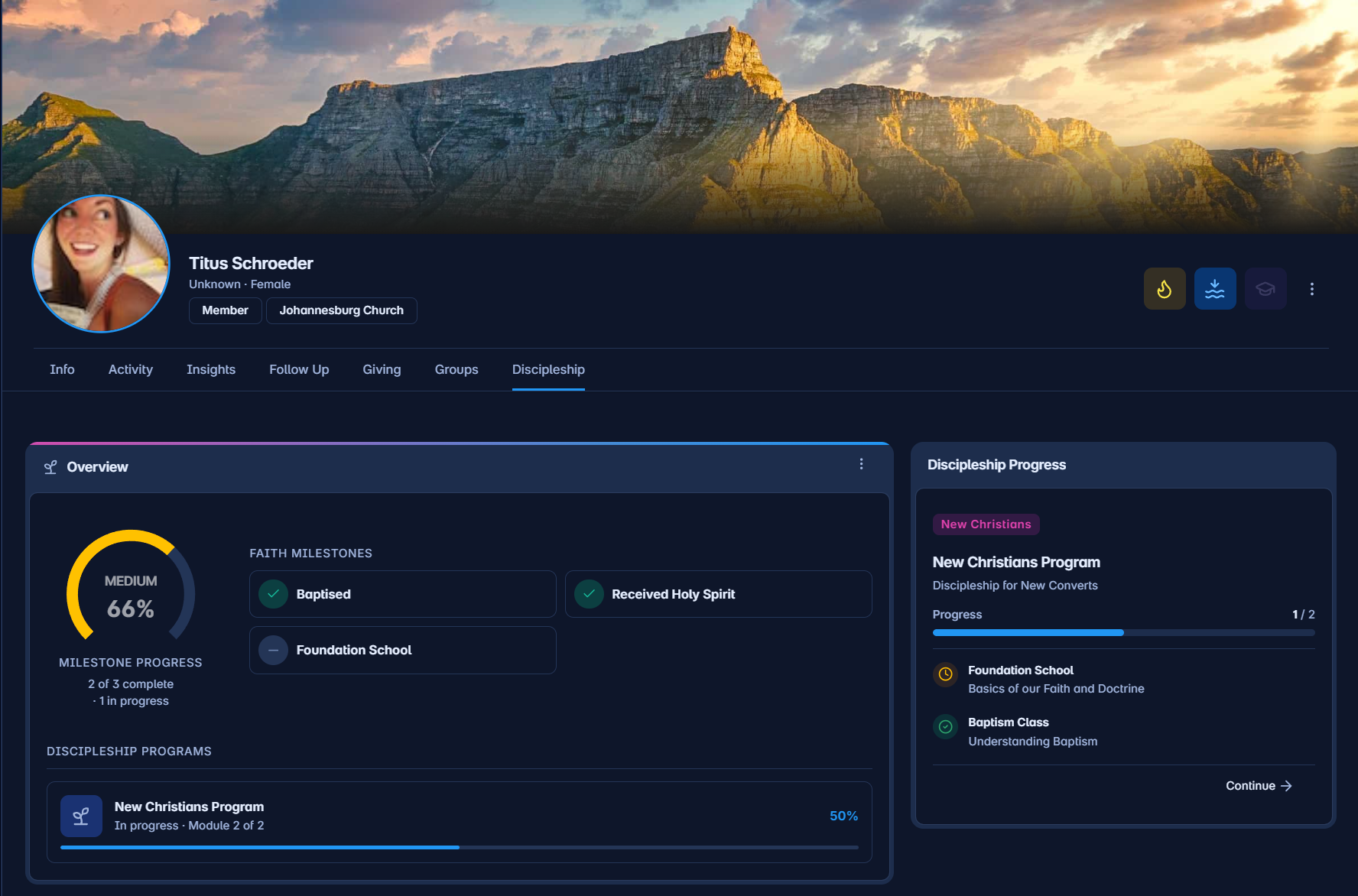
- Progress detailDetailed per-participant view of progress through a programme.
The books just tie out
Record giving, configure funds, and reconcile bank imports without spreadsheet archaeology.
- GivingsRecord and review contributions with filters, statistics, and per-fund summaries.
- FundsCreate and manage funds, view balances, and run reconciliation.
- Bank importsUpload statements, see matched/unmatched summaries, and match or resolve transactions.
- Donor statementsGiving records tie to the correct donor profile, and members can pull their own statements.
Let families do it themselves
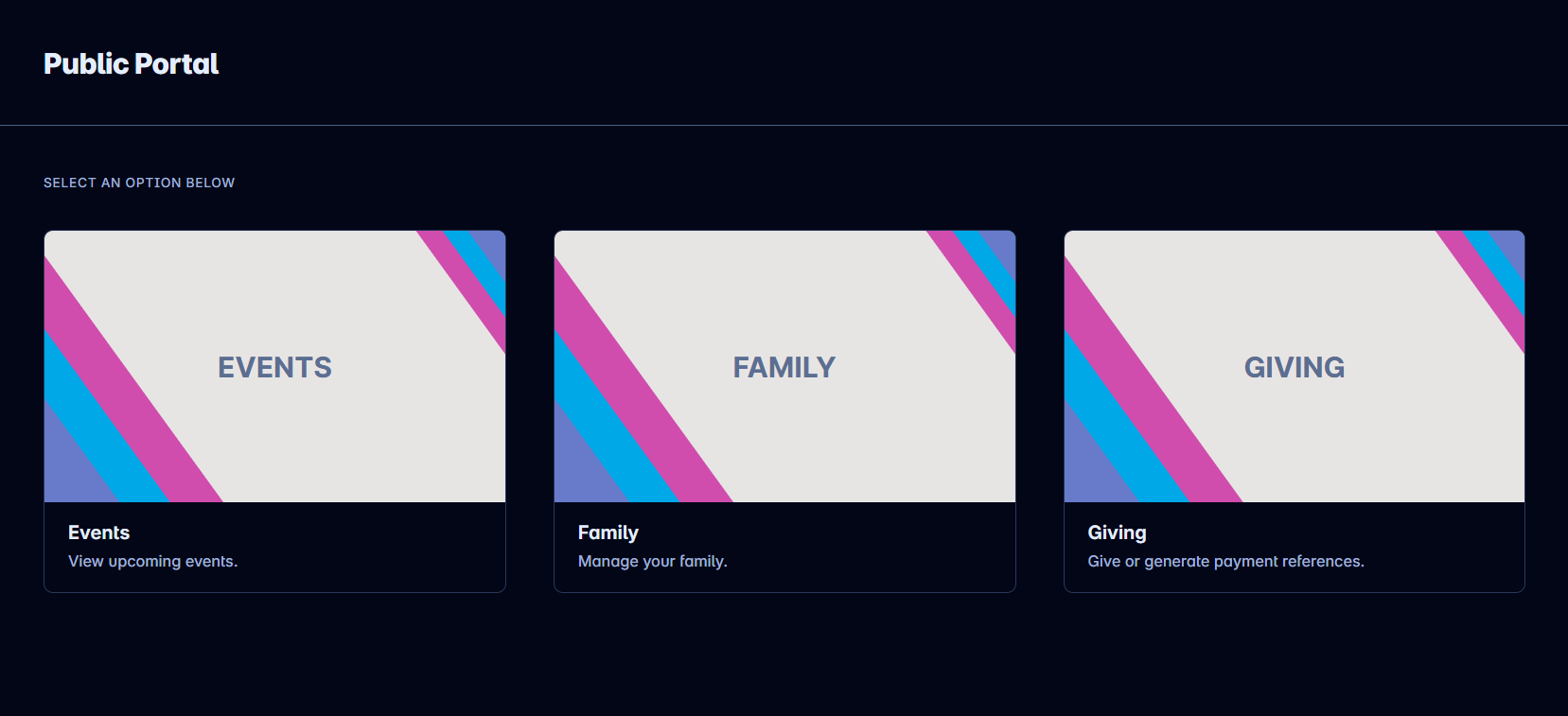
Self-service pages the public can use without logging in — so staff do less data entry.
- Your church's public pageA public landing page for your church organisation.
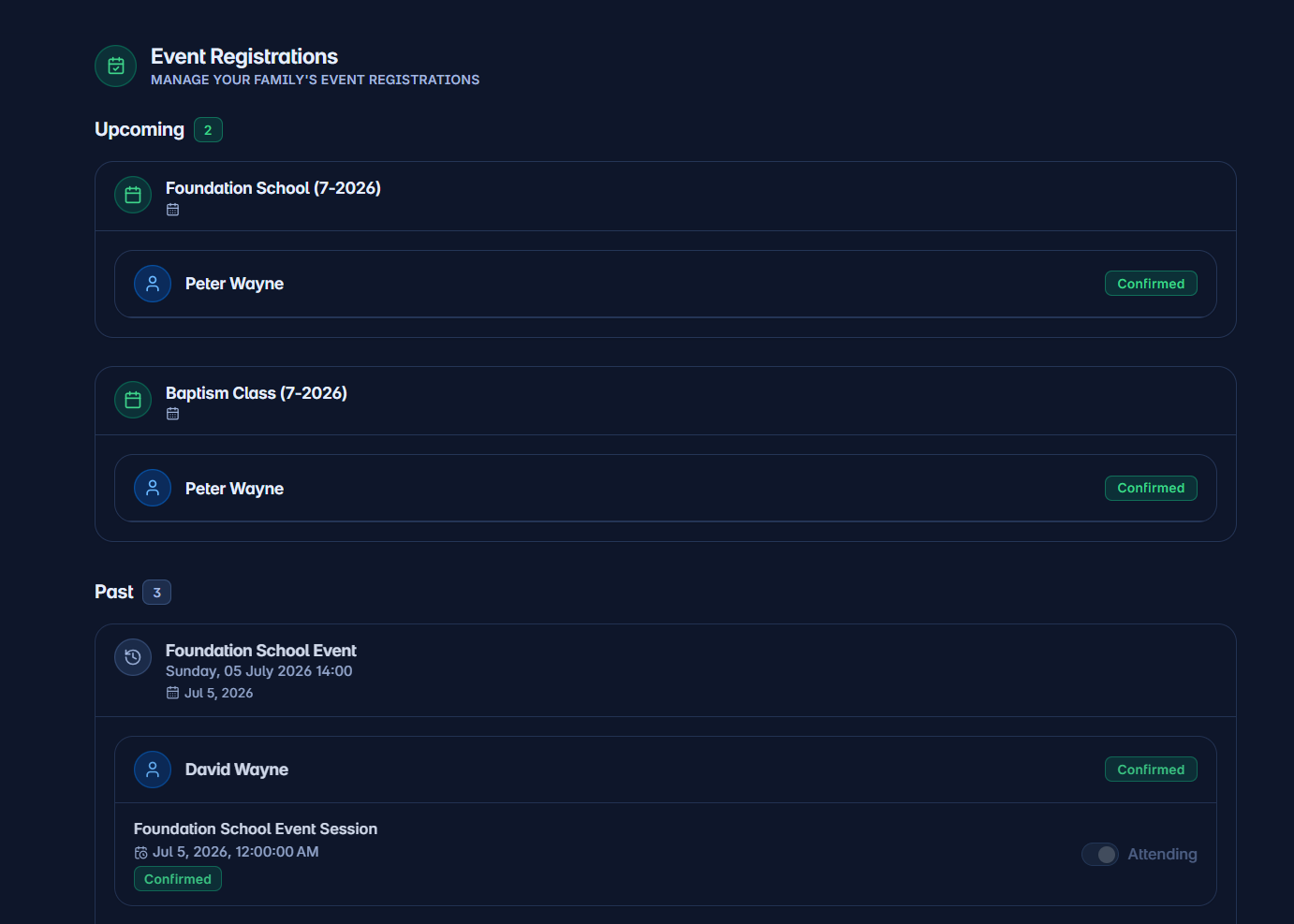
- Public event registrationA guided, multi-step registration flow with family lookup and session selection.
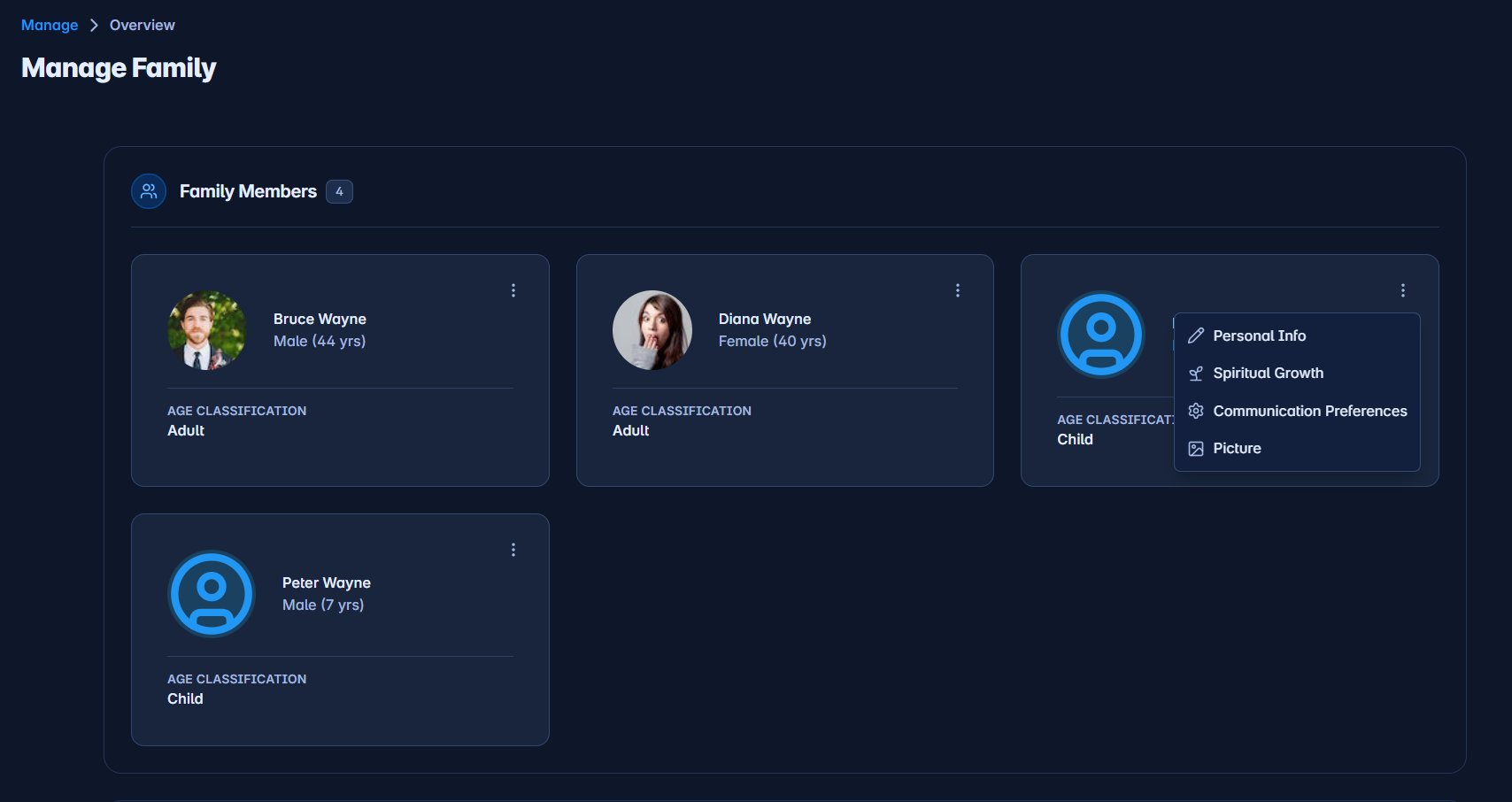
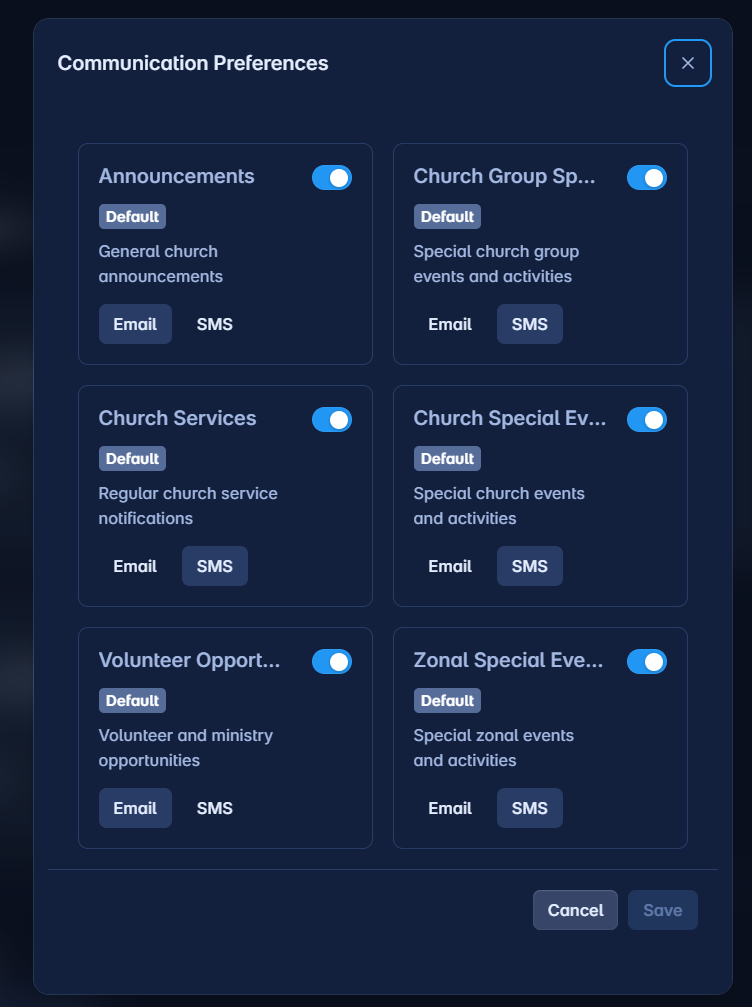
- Family self-service portalFamilies edit their own info, submit change requests, and manage communication preferences.
- Online givingOne-off and recurring donations, plus a payment-reference generator for bank deposits.
Configure once, run everywhere
Ministry-wide settings that power the rest of the platform.
- SMS providerConfigure BulkSMS integration for sending text messages.
- Payment providerConfigure PayFast integration for online giving.
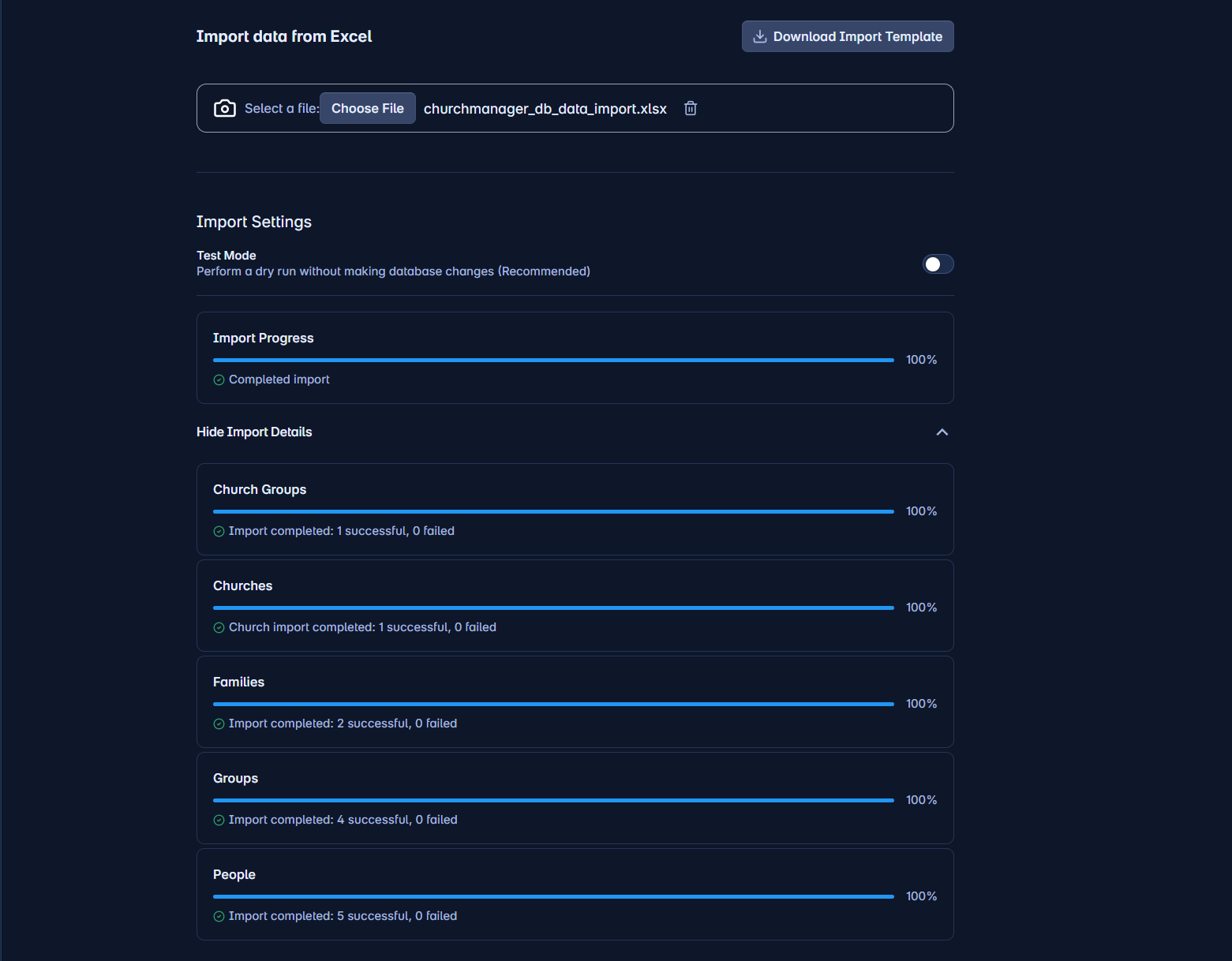
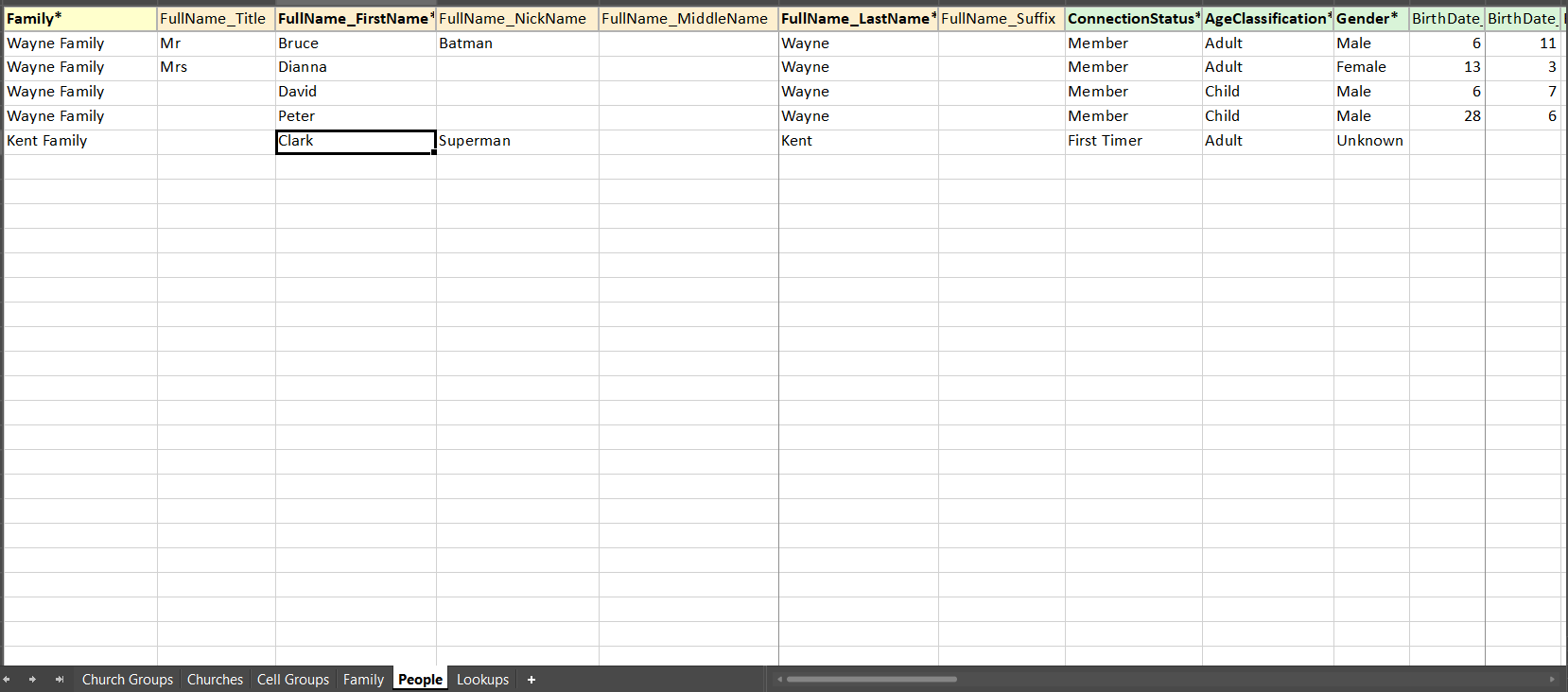
- Data importUpload and process bulk imports of members and financial records.
- User managementReview users, sessions, IPs, and durations across the platform.
Know where you stand
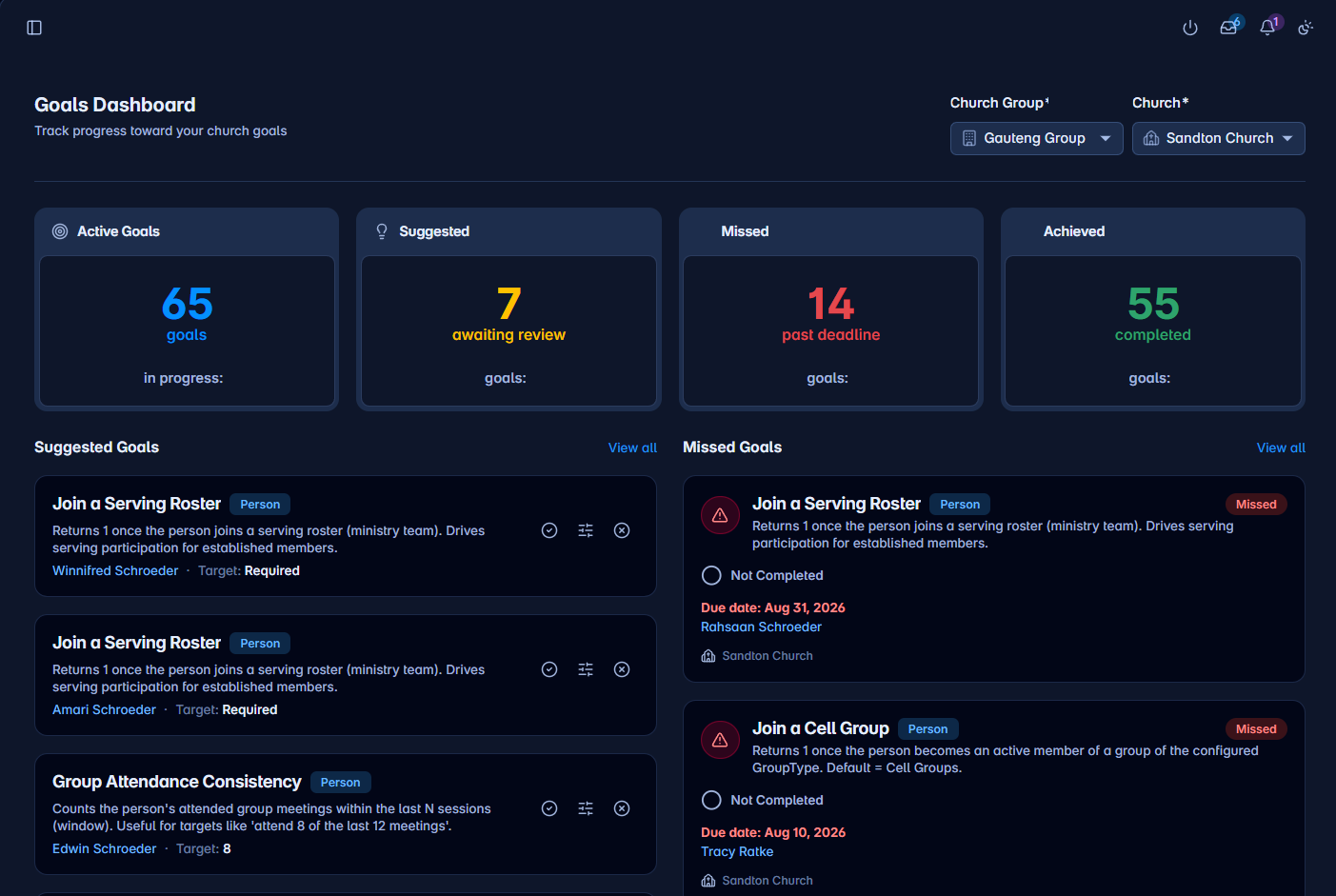
Set measurable goals for a person, group, or church — the system suggests them and reports progress itself.
- Goals dashboardActive, Suggested, Missed, and Achieved counts, with the lists that need action.
- Suggested goalsAccept, customise-and-accept, or dismiss goals the system suggests automatically.
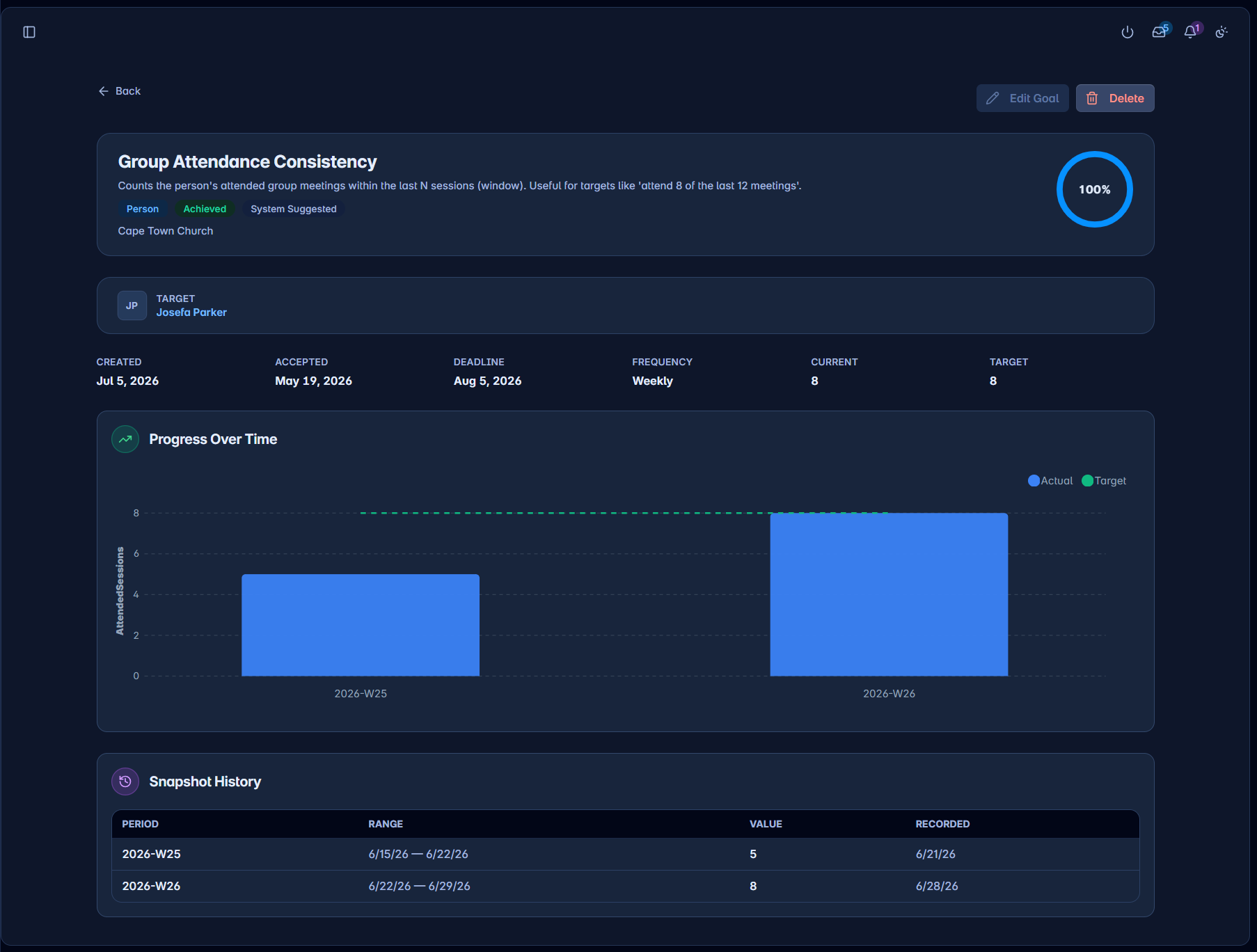
- Create & track goalsDefine person/group/church goals with target values, deadlines, and tracking frequency.
- Progress over timeActual-vs-target charts from recorded snapshots on every goal detail page.
- Insights widgetOn Track / Behind / Complete summaries embedded on profiles and group views.
See it working for your church.
One connected system — no more reconciling five separate tools.